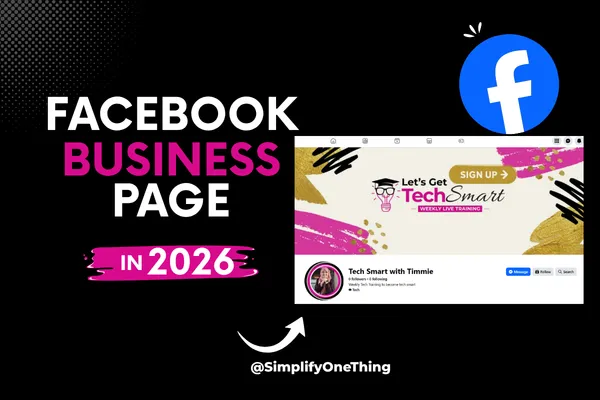
How to Set Up a Facebook Business Page
Most people will check your Facebook page before they ever work with you.
Before they buy.
Before they message you.
Before they join your program.
They want to know one thing:
“Does this person feel trustworthy?”
That’s why I wanted to create this training inside our Let’s Get Tech Smart series.
Because honestly, a lot of people are overcomplicating Facebook business pages when the truth is…
You do not need to be a tech expert to create a page that looks professional and trustworthy.
You just need a few foundational things set up correctly.
Prefer to watch instead of read? I’ve got you covered.
You can also subscribe to my YouTube channel for weekly beginner-friendly tech trainings.
Your Facebook Page Is Your Storefront
I shared during the training that your Facebook business page is basically your storefront on social media.
When someone lands there, they are subconsciously asking:
Is this person real?
What do they do?
Can they help me?
Do I trust them?
An incomplete or confusing page creates hesitation.
A clear and welcoming page creates confidence. I have a few tips for you.
Keep Your Page Name Simple
One of the biggest mistakes I see people make is choosing page names that are hard to spell, hard to remember, or overly complicated.
Please keep it simple.
If possible:
use your business name
stay on brand
make it searchable
make it easy to type
Because if people cannot easily find you later… they usually won’t.
Your Cover Photo Matters More Than You Think
Your Facebook banner is valuable space.
Instead of uploading a random image, use it intentionally.
Your banner should quickly tell people:
who you help
what you do
what they should do next
In the training, I walked through how to create a simple Facebook cover using Canva.
Please don’t overthink this.
Clear beats complicated every single time.
You can learn Canva with this free masterclass.
Add a Clear Call-to-Action
Most people create a page…
and then forget to tell people where to go next.
That is a huge missed opportunity.
Your page should lead people somewhere:
your freebie
your training
your email list
your website
your booking page
Even a simple “Sign Up” button can make a big difference.
Your Page Does Not Need to Be Perfect
I really want you to hear this part.
Your page does not need to look perfect to build trust.
It simply needs to:
feel welcoming
look active
clearly explain what you do
show that there is a real human behind the business
That’s it.
We are keeping tech simple and becoming tech smart one step at a time.
And just like that… you are now a little more tech smart.
Want Help Implementing This Stuff With Me?
If you enjoy learning this way and want support while actually building your business systems, funnels, forms, automations, and pages…
Check out OneTech.
Inside OneTech Premium Plus, we simplify tech together through live implementation, daily support, training, templates, and community.
You do not have to figure this all out alone anymore.
Final Thoughts
A trustworthy Facebook business page is not about perfection.
It is about clarity.
It is about consistency.
It is about helping people feel safe enough to take the next step with you.
And sometimes…
that one simple page becomes the beginning of an entirely new business journey.
If you want to continue building your online presence, check out my next post where I walk you through how to create a profile photo in Canva that builds trust and helps people instantly connect with your brand.