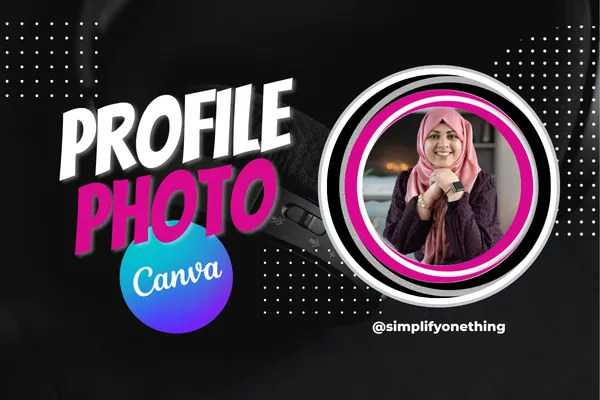
Your Profile Photo Is Your First Impression — Let’s Get It Right
Let me ask you something…
Before someone reads your content…
Before they click your link…
Before they decide to follow you…
What is the very first thing they see?
Your face.
Your profile photo is not just a picture.
It’s your first impression.
And whether we realize it or not…
people are making decisions about us in seconds.
Do I trust this person?
Do I feel comfortable with them?
Do I want to learn more?
The good news?
You don’t need a professional photoshoot.
You don’t need design skills.
You don’t need to overthink this.
You just need a simple process.
Start Where You Are (Not Where You Think You Should Be)
When I first started my business, I didn’t have brand photos.
No studio.
No fancy setup.
It was me… in my backyard…
with my husband taking pictures on my phone.
And it worked.
Over time, yes, I upgraded.
But in the beginning?
I used what I had.
And that’s exactly what I want for you.
What Makes a Profile Photo Actually Build Trust?
Let’s simplify this.
A strong profile photo is:
Clear (we can see your face)
Well-lit (natural light works beautifully)
Simple (no distracting background)
Natural (you look like YOU on your best day)
That’s it.
Not perfect.
Not over-edited.
Not complicated.
Simple builds trust faster than perfect.
How to Take a Great Photo (Without Overthinking It)
Before we even get into Canva, let’s get you a solid photo.
Here’s all you need:
Stand near a window (natural light is your best friend)
Hold your phone at eye level or slightly above
Look directly at the camera (not yourself on the screen)
Keep your background clean
Take 3–5 photos and pick the best one
That’s it.
No fancy setup required.
Now Let’s Make It Look Polished (Using Canva Templates)
This is where most people get stuck.
They think:
“I need to design something from scratch.”
Nope.
You don’t.
Canva templates do the heavy lifting for you.
Inside Canva, you can:
Search “profile photo” or “profile picture”
Choose a clean, simple template
Upload your own image to Canva
Drop it into the design
Make small adjustments
Done.
No design skills needed.
No overwhelm.
A Few Simple Tweaks That Make a Big Difference
Once your photo is in Canva, you can:
Adjust your positioning (center, clean, balanced)
Change colors to match your vibe or brand
Add a subtle glow if you want a little pop
Keep everything minimal and intentional
Remember…
You’re not trying to impress with design
You’re trying to build trust with presence
Download and Use It Everywhere
Once your photo is ready:
Download it as a PNG
Upload it across all platforms:
Facebook
Instagram
LinkedIn
YouTube
Email profile
Consistency matters.
Recognition builds familiarity
Familiarity builds trust
Watch the Full Step-by-Step Tutorial
If you want to see exactly how to do this inside Canva, step-by-step…
Watch the full tutorial here:
I walk you through everything in real time so you can follow along and create yours.
Final Thought
You don’t need to be perfect to start showing up.
You just need to start.
One simple update — like your profile photo —
can completely change how people experience you online.
And this?
This is just the beginning.
Want to Keep Getting Tech Smart With Me?
Every week, I host a free live session where we simplify tech — one small step at a time.
No overwhelm.
No pressure.
Just progress.
If you have a vision on your heart and you’re ready to bring it to life…
I’ve got you.
https://SimplifyOneThing.com/techsmart
May peace and blessings be with you.
— Timmie