
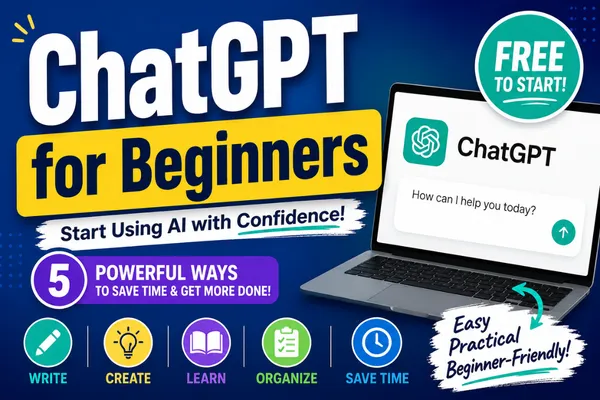
ChatGPT for Beginners: How to Use ChatGPT to Write, Learn & Save Time
Have you been hearing everyone talk about ChatGPT but wondering what it actually does—or whether it's something you can use?
The good news is that you don't need to be a tech expert to get started.
ChatGPT is one of the easiest AI tools to learn, and once you understand the basics, it can save you hours every week by helping you write, brainstorm ideas, learn new skills, organize information, and simplify everyday tasks.
In this guide, I'll walk you through the basics so you can start using ChatGPT with confidence.
What Is ChatGPT?
Think of ChatGPT as an intelligent assistant that you can have a conversation with.
You simply ask a question or describe what you need help with, and ChatGPT responds in seconds. The more details you provide, the better the response becomes.
Whether you're a coach, course creator, service provider, entrepreneur, or simply someone who wants to become more productive, ChatGPT can become an incredibly helpful tool.
How to Create a Free ChatGPT Account
Getting started is simple.
Visit chatgpt.com.
Click Sign Up.
Enter your email address.
Verify your email with the code you receive.
Complete your profile.
Start your first conversation.
You can also download the ChatGPT mobile app and log in using the same account so your conversations stay synchronized across your devices.
The 5 Most Popular Ways People Use ChatGPT
1. Writing
One of the biggest reasons people use ChatGPT is to improve their writing.
It can help you write:
Emails
Social media posts
Blog articles
Sales pages
Resumes
Letters
Marketing copy
You can even write something yourself first and ask ChatGPT to make it shorter, friendlier, more professional, or more persuasive.
2. Creating
Need ideas?
ChatGPT is an excellent brainstorming partner.
Ask it to help you create:
Blog topics
YouTube video ideas
Social media content
Workshop outlines
Lead magnets
Marketing campaigns
Instead of staring at a blank screen, you'll have ideas to work with in seconds.
3. Learning
ChatGPT is also an incredible learning tool.
You can ask it to explain difficult topics in simple language or help you understand something new.
For example:
Learn a new software program
Understand marketing concepts
Discover beginner recipes
Learn productivity tips
Explore new business ideas
If something doesn't make sense, simply ask ChatGPT to explain it another way.
4. Organizing
Sometimes the biggest challenge isn't coming up with ideas—it's organizing them.
ChatGPT can help you:
Create checklists
Build step-by-step plans
Organize projects
Outline presentations
Map out workflows
Turn scattered thoughts into a clear plan
Think of it as helping you organize your thinking before you take action.
5. Saving Time
Perhaps the greatest benefit of ChatGPT is how much time it can save.
It can:
Summarize long articles
Simplify complicated information
Rewrite lengthy documents
Generate first drafts
Create templates
Handle repetitive writing tasks
Instead of starting from scratch every time, you can spend more time serving your clients and less time doing repetitive work.
Tips for Getting Better Results
The quality of ChatGPT's answers depends on the quality of your instructions.
Instead of saying:
"Write a post."
Try saying:
"Write a friendly Facebook post inviting coaches to my free weekly tech training. Keep it under 150 words and include a call to action."
The more context you provide, the better your results.
One of my favorite tips is to ask ChatGPT to ask you questions before it starts writing. This helps it understand exactly what you're trying to accomplish and often leads to much better results.
Can You Talk to ChatGPT?
Yes!
One of my favorite features is Voice Chat.
Instead of typing, you can simply have a conversation with ChatGPT.
This is especially useful while driving, walking, or brainstorming ideas when your hands aren't free.
What Should You Avoid Using ChatGPT For?
While ChatGPT is an amazing assistant, it shouldn't replace qualified professionals.
Always verify important information and seek professional guidance for:
Medical advice
Legal advice
Financial advice
Use ChatGPT as an assistant—not your final authority.
Final Thoughts
The best way to become comfortable with ChatGPT is simply to start using it.
Ask one question.
Then ask another.
Experiment with different prompts and continue the conversation until you get the result you're looking for.
Like any new skill, confidence comes with practice.
If you're just getting started, remember this:
ChatGPT isn't here to replace you. It's here to help you become more productive, more creative, and more confident with technology.
Watch the Full Tutorial
Want to see everything demonstrated step by step?
🎥 Watch the complete YouTube tutorial here:
Join Me Live Every Tuesday
If you'd like to become more confident with technology, I'd love to invite you to my free Let's Get Tech Smart live Zoom trainings.
Every Tuesday, we explore one beginner-friendly tech topic together—from ChatGPT and Canva to Google Workspace, social media, OneTech, and more.
You'll learn practical skills you can start using right away in your business.
👉 Register here: https://simplifyonething.com/techsmart
I hope to see you in the Zoom room next Tuesday!